
Works offline
An offline health and safety app for the yard, the basement and the cab
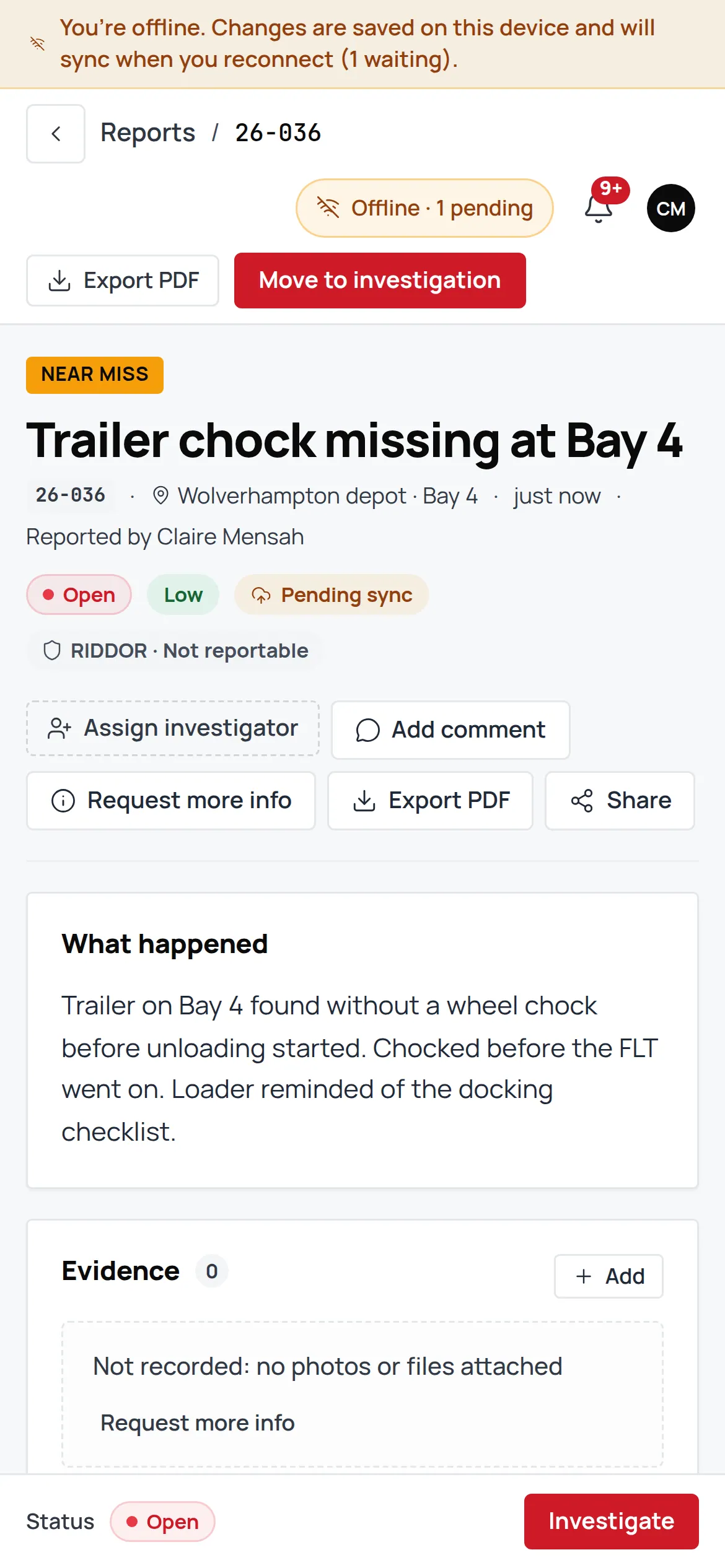
Works in the yard, the basement and the cab. An offline health and safety app saves every record to the phone first, shows “Pending sync” until signal returns, then syncs on its own. That is how every jobsafe module behaves, not a mode you switch on.
Try it
Turn the signal off and file a report
The same three fields a driver sees. Nothing here leaves your browser.
On the phone
Nothing saved yet. Flip signal off and file one.
The real thing does this in every module. Nothing here leaves your browser.
How sync works
From the phone to London, in order
An offline incident reporting app is only useful if what you typed in the cab is what the office sees. Three rules make sure of it.
The phone
Saved first, always
The outbox
Queued in order, retried
London cloud
Synced when signal returns
Changes queue in order and retry
Every save goes into the outbox on the phone. When signal returns they go up in the order you made them, and a failed attempt is retried, not dropped.
Each record shows “Pending sync”
A report, a permit or a checklist that has not reached the cloud yet says so on the record, so nobody assumes the office has seen it.
The newest edit wins on every device
If two people edit the same record while apart, the latest change is the one that stands, on every device, and the device that lost is told.
Install it
Add it to the home screen
jobsafe is an installable web app. On iPhone, Android and desktop you add it to the home screen from the browser and it opens full-screen like an app, with its own icon, offline included. There is nothing to download from an app store and nothing for IT to roll out.
Once installed and signed in, the phone opens jobsafe with no signal at all, shows the records it holds and takes new ones. A native store app is not available yet.
Your team is invited by email by your administrator, and installs from the link they receive.
Built for gloves and glare
Made for the hands that will use it
A yard in January and a cab in July are the conditions it was tested in.
WCAG 2.2 AA
Tested with axe on every screen and with a keyboard, so a screen reader and a mouse-free desk both work.
320px screens
Laid out for the smallest phones the depot hands out, not just the one in the design file.
Large targets
Buttons and fields sized for a gloved thumb and a moving cab.
Typed signature option
Where a name must be signed, it can be typed, for the days a finger on glass will not do.
Readable in glare
High-contrast ink on a light ground, the same tokens as this site.
Works offline in every module: Incident & near-miss reporting · RIDDOR 2013 · Permits to work · Risk assessments & bowtie · and it all stays in the UK.
FAQ
Frequently asked questions
What people ask about offline before they trust it.
Every module. Incidents, RIDDOR, risk assessments, permits, checklists, fleet, training and documents all save to the phone first and sync when signal returns.
The record is saved on the phone the moment you save it, not when it syncs. Charge the phone, open the app, and the outbox carries on.
Yes. A signed-in phone opens offline, shows the records it holds and takes new ones.
No. jobsafe is an installable web app: add it to the home screen from the browser on iPhone, Android or desktop and it opens like an app, offline included. A native store app is not available yet.
The newest edit wins on every device, and the device whose edit lost is told so nothing is silently overwritten.
See it lose signal and not lose the report.
A 30-minute walkthrough on a UK haulier’s setup, with the phone in flight mode.