
Resolve
Permit to work software
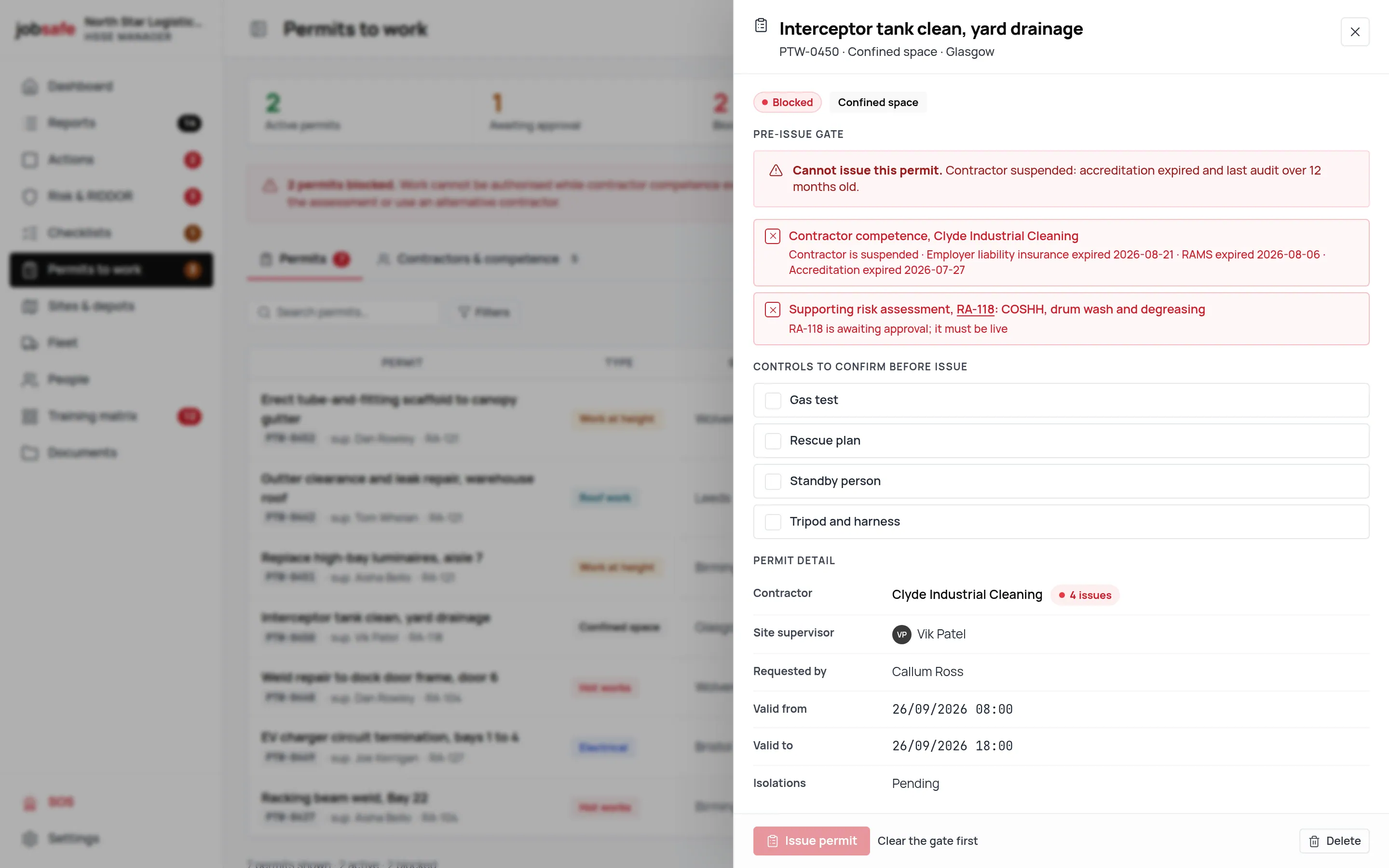
No permit issues until the contractor and the risk assessment check out.
Permit to work software for hot works, confined space, work at height, electrical, excavation and roof work, each with its required controls. The pre-issue gate checks the contractor is not suspended, that employer’s liability insurance, RAMS and accreditation are in date, that the contractor was audited within 12 months, that a Live risk assessment supports the job and that every control has been confirmed. Blocked is worked out for you.
- Six permit types
- Pre-issue competence gate
- Live risk assessment required
- Controls confirmed and stored
- Blocked worked out automatically
The problem, then the record
Three things that go wrong on paper
On paper
A hot-works permit is issued on trust, and the contractor’s insurance lapsed in March.
With jobsafe
The gate checks employer’s liability insurance, RAMS and accreditation dates before the permit can move to Approved.
On paper
The risk assessment the permit relies on was last reviewed two years ago.
With jobsafe
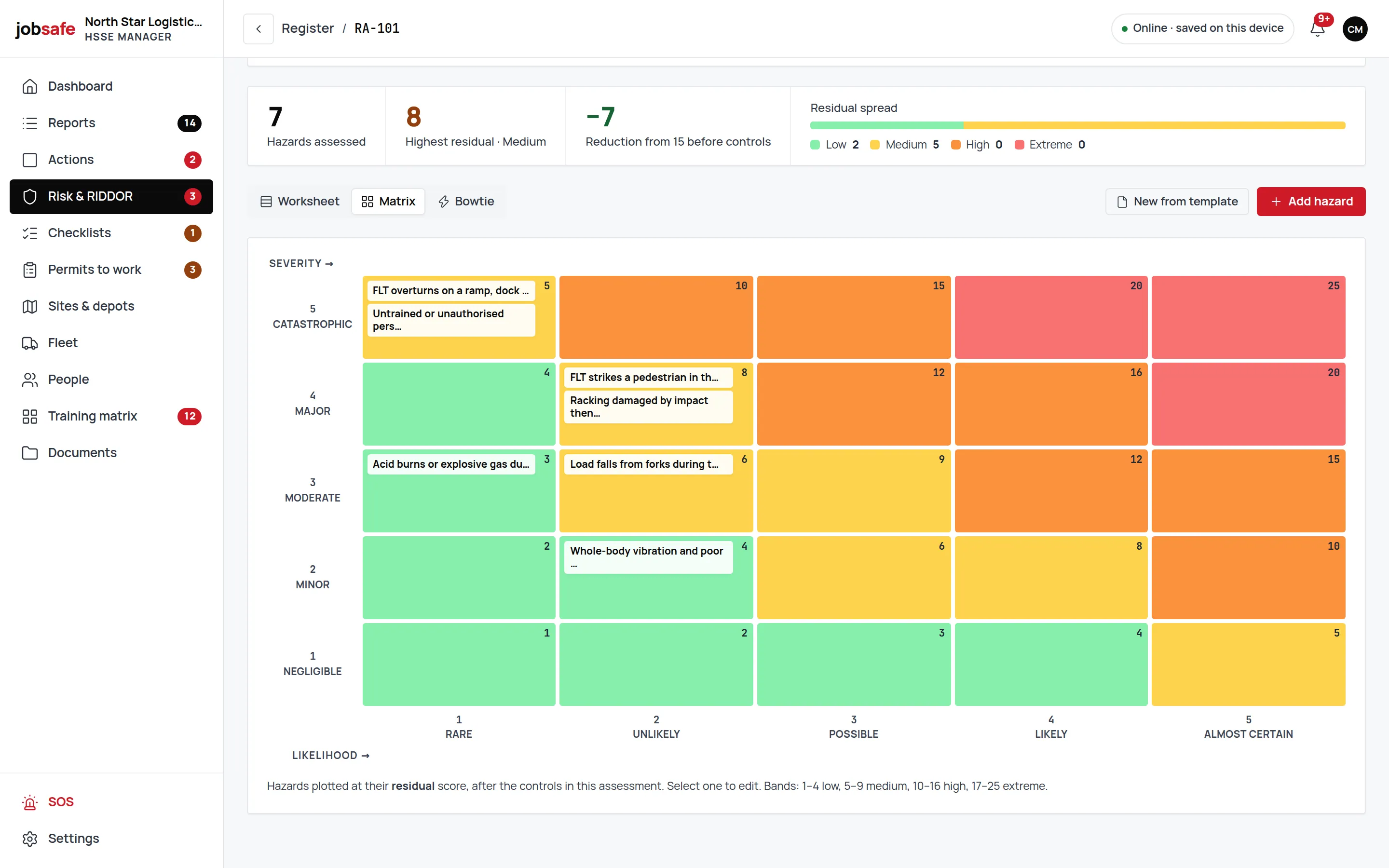
A permit requires a Live supporting risk assessment; a Draft or Review-overdue one blocks it.
On paper
Nobody can say afterwards which controls were in place when the permit was signed.
With jobsafe
Every control is confirmed before issue and the confirmations are stored on the permit.
Six permit types, each with its controls
Hot works, confined space, work at height, electrical, excavation and roof work. Each type carries the controls it needs, and the permit will not issue until each one is confirmed.
- Hot works
- Fire watch, extinguishers, combustibles cleared: confirmed, not assumed.
- Work at height and roof work
- Edge protection, access and rescue, each a line on the permit.
- Electrical and confined space
- Isolation, testing, gas monitoring and standby, confirmed before issue.
The gate: five checks before Approved
Contractor not suspended. Employer’s liability insurance, RAMS and accreditation all in date. Contractor audited within 12 months. A Live supporting risk assessment. Every control confirmed. Fail one and the permit shows Blocked, with the reason.
- Contractor competence
- Suspension, insurance, RAMS, accreditation and audit date, all checked.
- A Live risk assessment
- The assessment behind the permit must be approved and in date.
- Confirmations stored
- Who confirmed what, on the permit, for the inspector.
Awaiting approval, Approved, Active, Closed
The lifecycle is four states and Blocked is not one you set; it is worked out from the gate. Close the permit and the record stays with the job.
- Active while the work is on
- The board shows what is live on site today.
- Actions from the permit
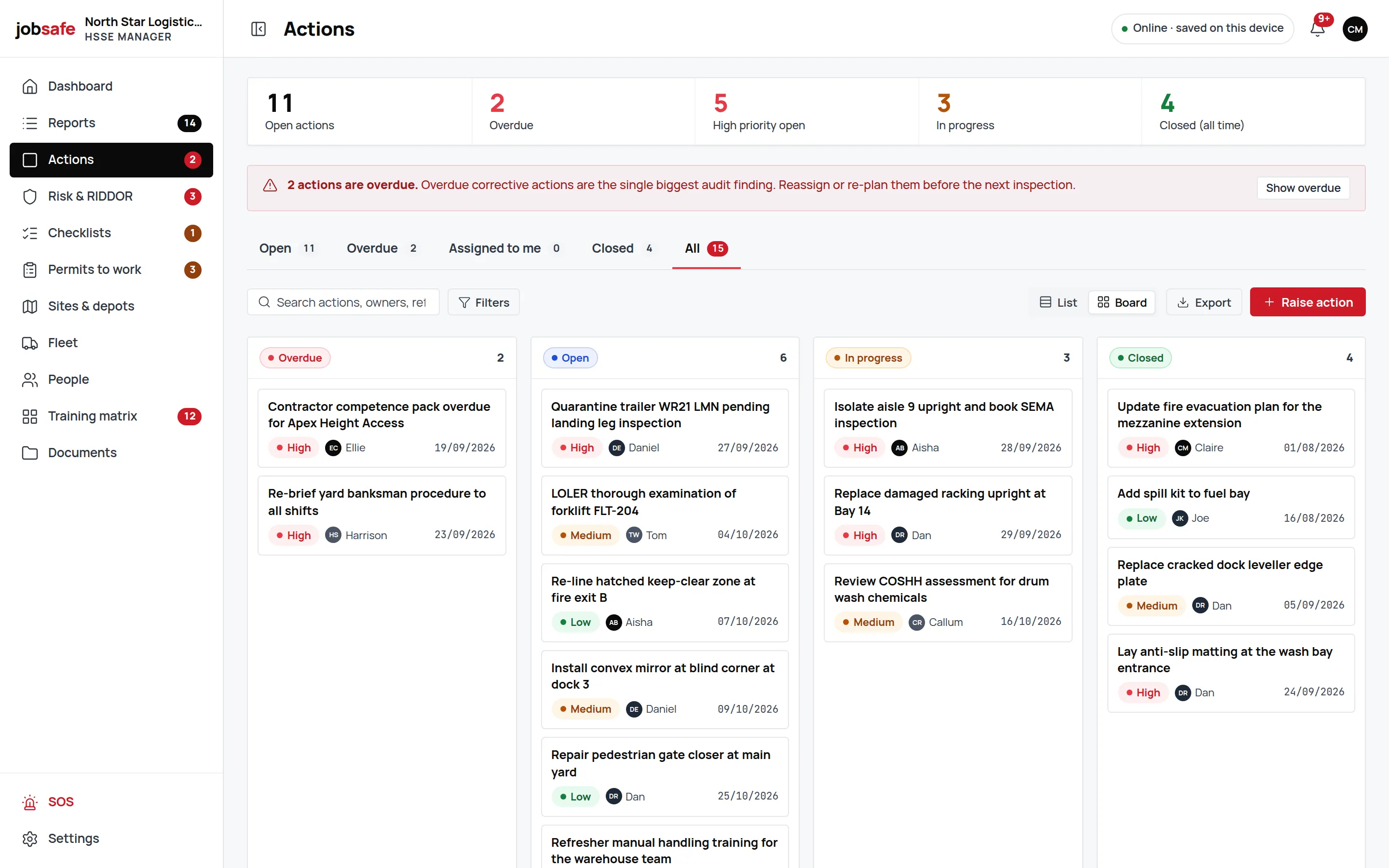
- A failed check can raise an action to fix what blocked it.
- CSV export
- Permits export like every other register.
Connected to
Where this record goes next
Every module writes to the same record, so what happens here shows up in these.
- Risk assessments & bowtie5×5 scoring, hierarchy of control, six types, bowtie barriers and approval.
- ContractorsExpandingInsurance, RAMS, accreditation and audit dates, checked at the permit gate.Page coming in a later phase.
- Corrective actionsRaised from reports, hazards, checklists and permits, each with an owner and a date.Page coming in a later phase.
- Incident & near-miss reportingSeven steps from any phone, with photos, GPS, people, vehicles and RIDDOR triage.
UK regulation
Where permits come from
A permit-to-work system is HSE’s recommended control for high-hazard work: hot work, confined spaces (Confined Spaces Regulations 1997), work at height (Work at Height Regulations 2005), electrical work (Electricity at Work Regulations 1989) and excavation. The permit is the record that the hazards were identified, the controls put in place and the people competent.
jobsafe keeps that record and refuses to issue a permit until the checks pass. It does not make the work safe; the people confirming the controls do.
jobsafe holds no certification and claims none. The records are yours; so is the judgement in them.
FAQ
Frequently asked questions
Straight answers about permits to work in jobsafe.
Any one of: a suspended contractor; employer’s liability insurance, RAMS or accreditation out of date; no contractor audit within 12 months; no Live supporting risk assessment; a control not yet confirmed. The permit shows Blocked with the reason.
Hot works, confined space, work at height, electrical, excavation and roof work, each with its own required controls.
Awaiting approval → Approved → Active → Closed. Blocked is worked out from the gate, not set by hand.
Yes. It requires a Live supporting risk assessment, so a Draft or a Review-overdue assessment stops the permit.
Yes. Every control confirmation is stored on the permit, with who confirmed it.
Contractor is a role level, and the gate checks contractor records. Creating new contractor records from inside the app is not available yet.
See permits to work on your own setup.
A 30-minute walkthrough with someone who knows the product, on a UK haulier’s data.